


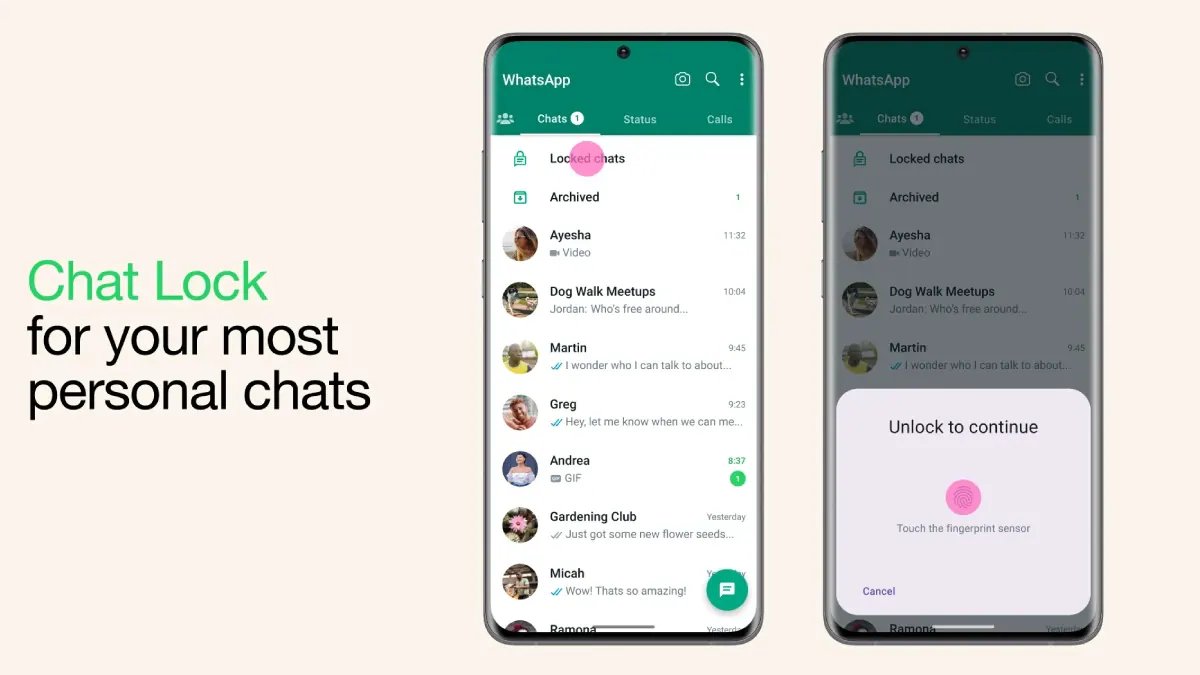
There are some WhatsApp chats you might want to keep to yourself, especially if you occasionally hand your phone to friends or family. You could lock the entire app, of course, but that can get annoying when you just want to let someone look at a photo or make a quick call. WhatsApp’s Chat Lock feature offers another option. It lets you lock specific conversations and move them to a separate folder that only you can open with your phone’s authentication method. You can even hide this folder from your main chat list, so those conversations are less likely to catch someone’s eye. Let’s look at how Chat Lock works, how you can set it up, and what to keep in mind when using it.
What Is WhatsApp Chat Lock?
WhatsApp Chat Lock is handy if you want to keep a few conversations private without locking the whole app. Once you turn it on for a chat, WhatsApp moves it out of your usual chat list and into a separate Locked Chats folder. You can open the folder using your phone’s authentication method, such as your fingerprint, face recognition or passcode, depending on your device.
You can use it for both individual and group chats, so you get to choose which conversations you want to keep under wraps. WhatsApp also hides the message details in notifications from locked chats, so someone glancing at your screen won’t be able to read the message. And if you don’t even want the Locked Chats folder showing up in your chat list, you can hide it with a secret code.
When a message comes in from a locked chat, you won’t see the sender’s name or the message preview in your notifications. So, if someone happens to glance at your phone, they won’t be able to read the message or tell who it’s from. You’ll still know you’ve received a message, but you’ll have to open the locked chat to see what it says.
WhatsApp calls work a little differently, though. Locking someone’s chat won’t stop them from calling you on WhatsApp, and their calls will still come through as usual.
How to Lock a WhatsApp Chat
Locking a WhatsApp chat takes just a few steps, and you won’t have to change anything about your other conversations. Here’s how to do it.
- Open WhatsApp and find the individual or group chat you want to lock.
- Tap the contact’s name or the group name at the top to open the chat information page.
- Scroll down until you find the Chat Lock option and tap it.
- Turn on Chat Lock and follow the on-screen instructions to confirm your identity using your fingerprint, face recognition or your phone’s passcode, depending on your device.
- WhatsApp will move the conversation to the Locked Chats folder, which you’ll need to authenticate yourself to open.
If you’d rather not open the conversation first, you may also be able to lock it directly from your chat list. Press and hold the chat, then look for the lock option in the menu. The exact steps may vary slightly depending on your phone and WhatsApp version.
How to Hide Locked Chats on WhatsApp
WhatsApp also allows you to hide the Locked Chats folder from your regular chat list, so it won’t be visible alongside your other conversations. To do this, you’ll first need to set up a secret code.
- Open WhatsApp and swipe down on your chat list to find Locked Chats. If you’ve already hidden the folder, enter your secret code in the search bar to bring it up.
- Open Locked Chats and tap the three-dot menu or the settings option, depending on your device.
- Go to Chat lock settings and tap Secret code.
- Choose a code you can remember but that others won’t easily guess, then enter it again to confirm.
- Head back to Chat lock settings and turn on Hide locked chats.
Once you’ve done this, the folder will disappear from your main chat list. Whenever you want to access your conversations, type your secret code into WhatsApp’s search bar and tap Locked Chats when it appears.
Just be careful not to forget your code. WhatsApp’s reset option can clear your locked chats, including their messages and media, so pick a code you’ll remember.
How to Find and Open Locked Chats
Once you’ve locked a chat, you won’t have to go looking through all your conversations to find it again. Just open WhatsApp and swipe down on your chat list to bring up the Locked Chats folder. You can then tap it and confirm it’s you using your fingerprint, face recognition or phone passcode, depending on your device. You’ll then be able to catch up on messages and reply just as you normally would.
If you’ve hidden the folder with a secret code, it won’t show up in your chat list at all. To get it back, type your code into WhatsApp’s search bar. The hidden folder should appear, and you can tap it to get back to your conversations.
FAQs
1. What is WhatsApp Chat Lock?
WhatsApp Chat Lock protects selected conversations by moving them to a separate folder that requires authentication to open.
2. How do I lock a chat on WhatsApp?
Open the conversation, tap the contact or group name, select Chat Lock and follow the on-screen instructions.
3. Can I hide locked chats on WhatsApp?
Yes. Set up a secret code in Chat lock settings and enable the Hide locked chats option.
4. How do I find hidden locked chats?
Enter your secret code in WhatsApp’s search bar to make the hidden Locked Chats folder appear.
5. Does WhatsApp Chat Lock block calls?
No. WhatsApp calls from contacts whose chats are locked can still come through.