


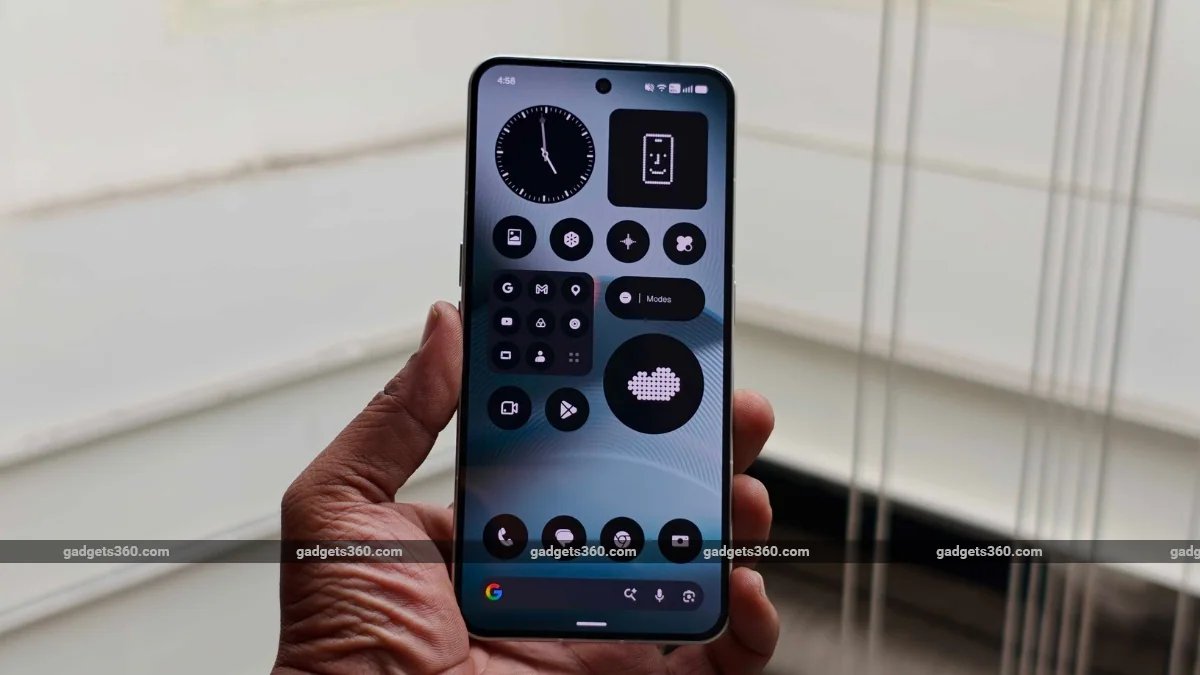
Nothing on Monday announced the stable rollout of Nothing OS 5.0, its latest software update based on Android 17. As per the UK-based company, the update introduces a redesigned Home Screen, a new Lock Screen clock face, and improvements to the company’s Essential Space features. There are also updated system animations, new widgets, improved multitasking, and AI-powered app creation tools, which were previously available with the Nothing OS 5.0 open beta.
Nothing OS 5.0 Update: Availability
The stable version of Nothing OS 5.0 has started rolling out, beginning with the Nothing Phone (3). The company says the update will reach more Nothing and CMF smartphones over the coming months. The stable release of the update for other eligible handsets is planned for November.
Nothing OS 5.0’s stable release follows the Nothing OS 5.0 open beta programme, which introduced several of the software’s major changes ahead of the general rollout.
Nothing OS 5.0 Update: Features
Based on Android 17, Nothing OS 5.0 (review) introduces changes to the interface, system performance, widgets, and AI-powered features. Beginning with the home screen, there are now transparent details across widgets and the search bar. Nothing’s new adaptive colour system is said to draw colours from the user’s wallpaper to create a more consistent appearance across the interface.
There is a new Micrographics clock face for the Lock Screen. As per the company, it is inspired by hardware design and displays the date, time, weather, and upcoming meetings in one place.
Nothing plans to roll out further improvements to Essential Space, its AI-powered hub, through Google Play alongside the general release. Meanwhile, the company’s AI suite has been expanding through tools like Essential Voice, which offers faster and cleaner transcription, and Smart Collections in Essential Space. Nothing says Essential Apps Builder can now be accessed directly on the phone.
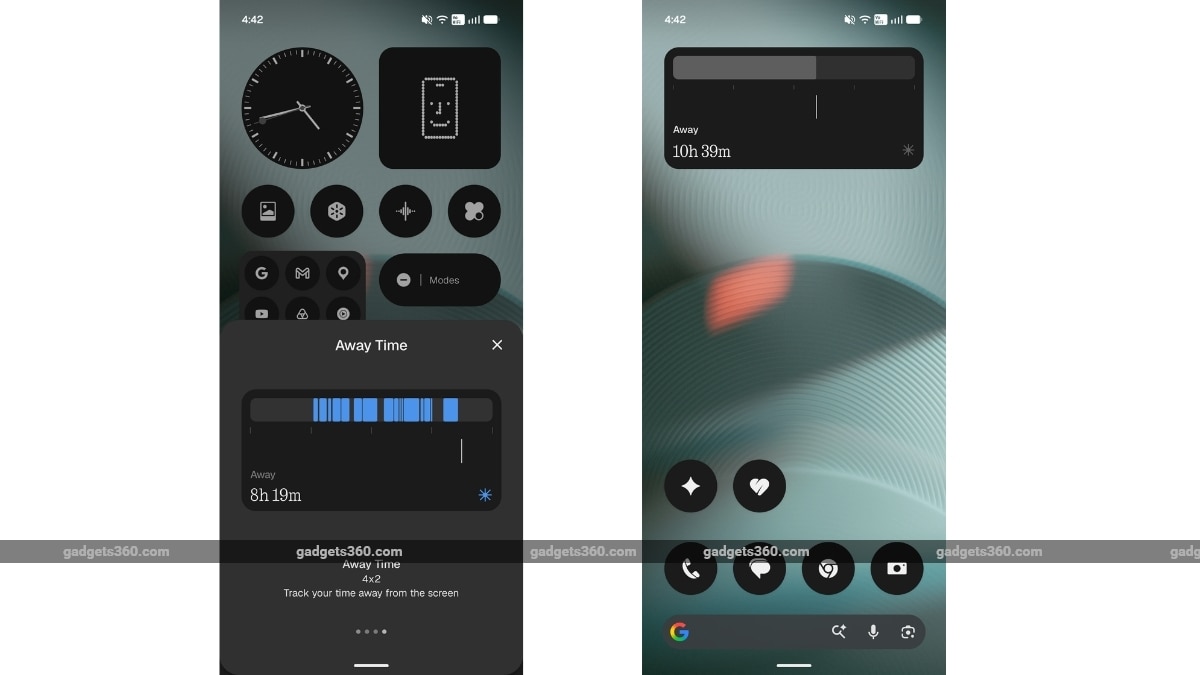
There are also refreshed icons, updated spacing, and refined animations across the status bar, Settings, Camera, and Gallery. On the personalisation front, users can access new widgets, such as the Collector, which lets users create visual collections of objects. Another one is Away Time, which, as the name suggests, tracks screen-free time.
Nothing OS 5.0 includes several performance improvements as well. The company says it brings faster touch response, better background app retention, and improved system resource management. Animations across apps, folders, widgets, and multitasking have also been refined.