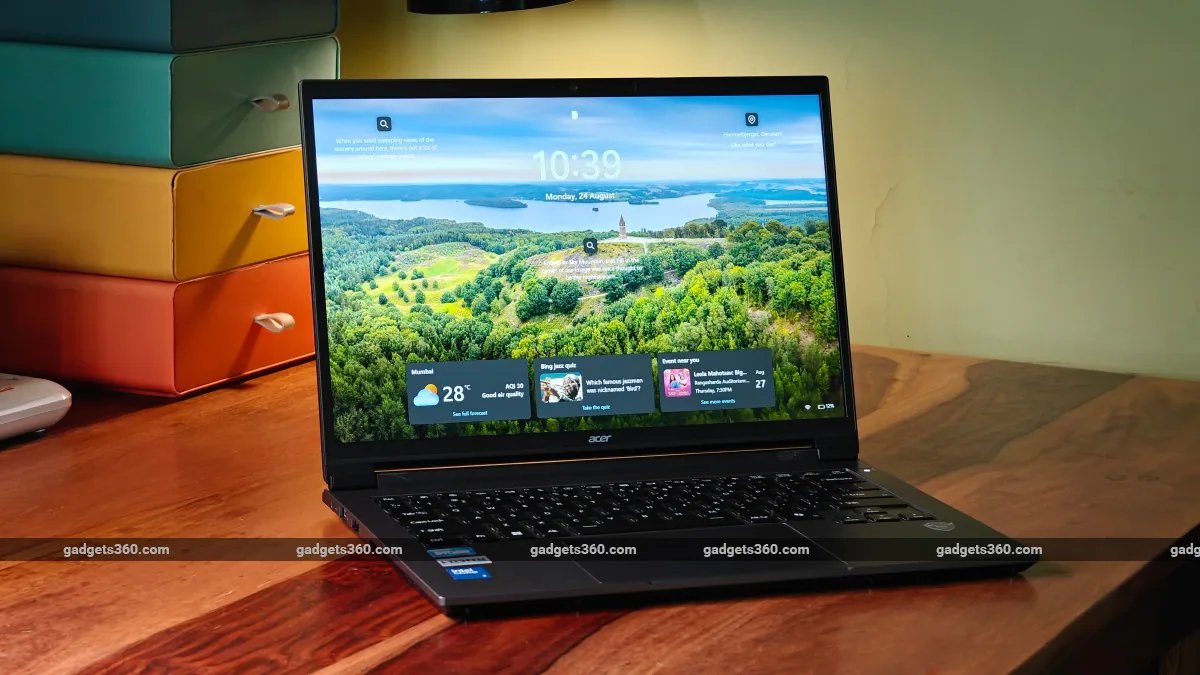
Acer’s TravelLite series is all about fast, light and durable machines. For entry-level work machines, the focus is more on battery life and durability than blistering performance. This Acer TravelLite T24-54M I received for review also focuses on the same points. Brand-new, lightweight design aside, Acer also claims improved battery life thanks to the new Intel Core Series 3 processor. We take a closer look to see if this laptop can stand out in a sea of competitive business machines.
Acer TravelLite T24-54M Design and Build:
- Dimensions – 315.6 x 226 x 16.85-18.95mm
- Weight – 1.30kg (40WH battery / 1.36kg (60WH battery)
- Colour – Grey
- Durability – MIL-STD 810H certified
The Acer TravelLite T24-54M gets a massive design update over the previous TL24-53M model. The new model still uses a polycarbonate chassis and mid-frame, but features a brand-new design for the aluminium outer body panels, which looks refreshing and different from previous models.
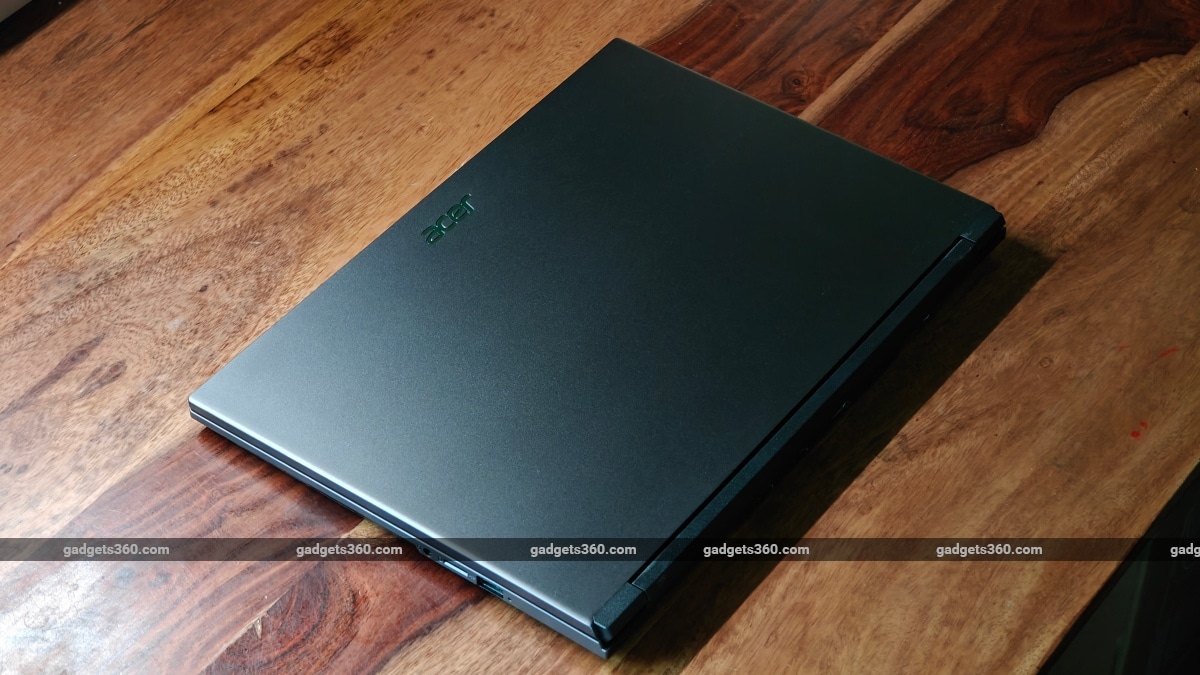

The Acer TravelLite T24-54M has a sleek-looking metal lid but has a plastic frame on the inside
The removable back (or bottom panel) is made of aluminium, and the same goes for the casing around the keyboard and the lid cover. While the lid’s metal plate wraps around the top and the sides, the bottom metal panel is perfectly flat and fits into the polycarbonate base and mid-frame. Users will rarely come into contact with the polycarbonate mid-frame, as the keyboard case has also been given the wrap-around treatment, giving it a premium, cool metal feel.
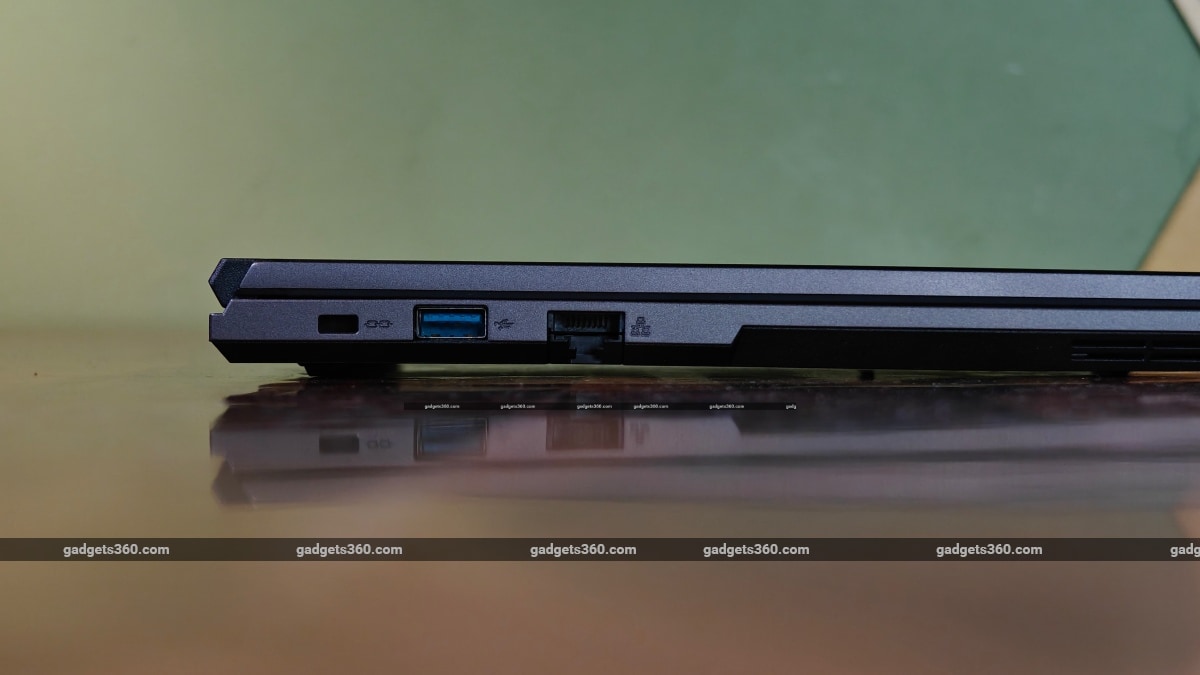
The minimal bottom clearance could lead to heating when placed on a soft surface
The design is now more practical and rugged. The I/O ports are available on the left, right and the back. Thankfully, vents at the back exhaust hot air (whenever the processor is stressed). The laptop still breathes from the bottom metal panel, which will not be an issue as long as it’s placed on a flat surface, but can be a problem when placed on a couch or pillow, as soft surfaces will block the bottom-facing breathing vents. The rubber strips (or feet) on the bottom of the laptop are also fairly thin and don’t allow much breathing room even when placed on a flat table.
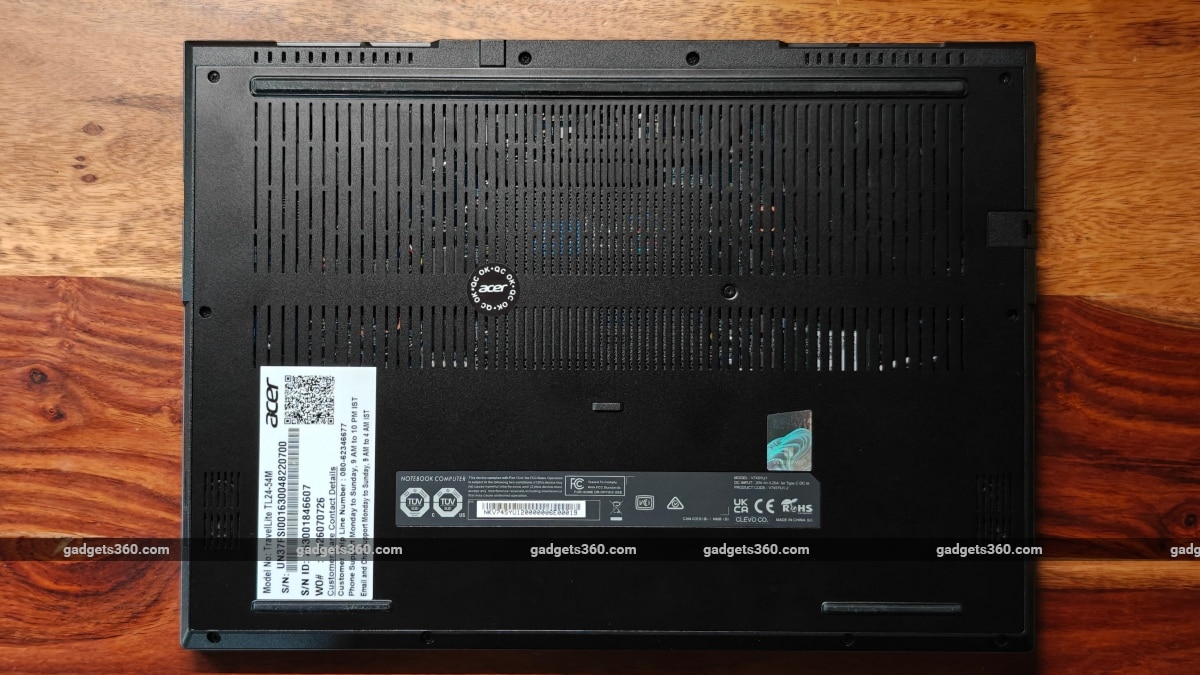
The laptop breathes through the metal case at the bottom
Unlike the previous TL24-53M model, the display hinge does not let the display rest on the surface. This makes it prone to breakage if pressure is applied to the display when opened to 180 degrees. The placement of the hinge mechanism in the raised polycarbonate housing is also a bit worrisome in terms of durability. To recall, the 53M model allowed the display to lay flat on the surface below, preventing accidental damage because the panel rests on the table itself.
Since this is a review. I tried flexing the display to touch the surface on which the laptop was placed. While the display case or panel did not flex, the hinges do allow for some additional flexibility, meaning your panel won’t detach or break if flexed beyond the 180-degree limit.
Acer TravelLite T24-54M Display: Gets the Job Done
- Display size – 14-inch, 16:10 ration, Full HD+, 1,920 x 1,200 pixels
- Display type – Anti-glare, 60Hz, IPS, LCD (LED backlit)
- Peak brightness – 250 nits
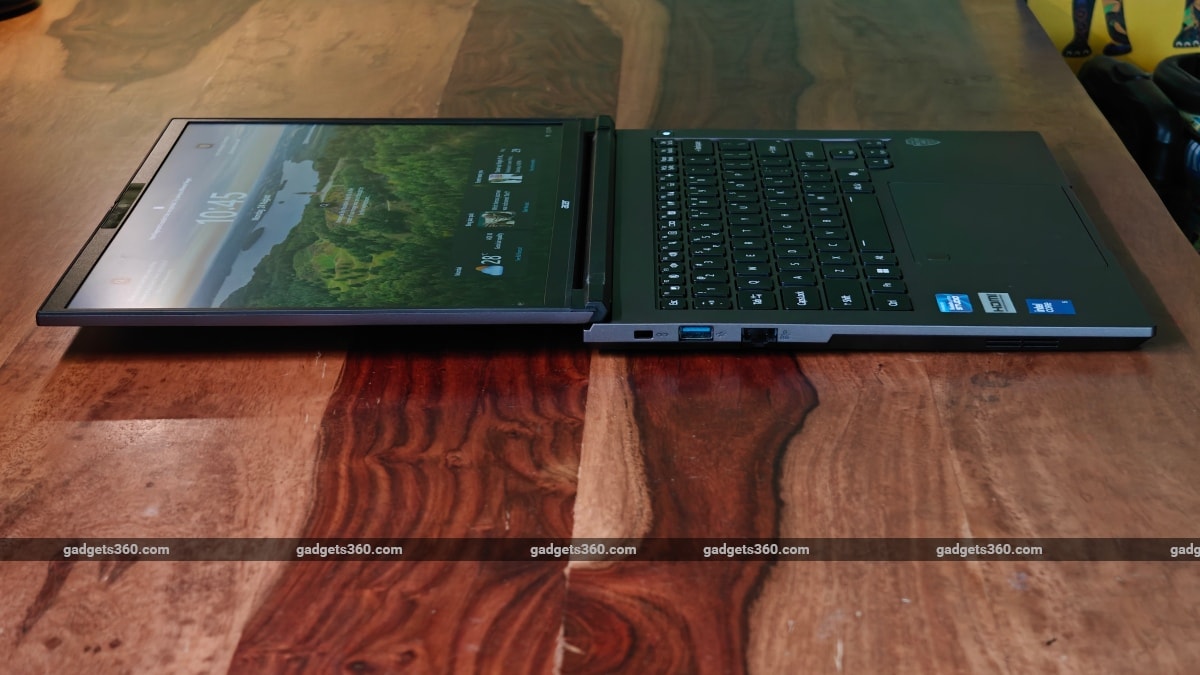
Thanks to its inner plastic frame, the display can be flexed without causing damage
The 180-degree hinge is useful in office environments if you want to share or show on-screen content to the person sitting opposite. It’s also handy if you are presenting and standing up, letting you bend the screen back well beyond the usual tilt angles standard office laptops allow.
But things would be just fine even if this TravelLite didn’t have a 180-degree hinge, because it has a decent display with good viewing angles. It’s not an OLED, so contrast isn’t the best, but it’s more than sufficient for office productivity. Blacks look good (thanks to the LED backlight), and colour reproduction is very natural. That said, the viewing angles are perfectly fine thanks to IPS technology. This is also an anti-glare screen, so reflections or bright office lighting isn’t a problem.
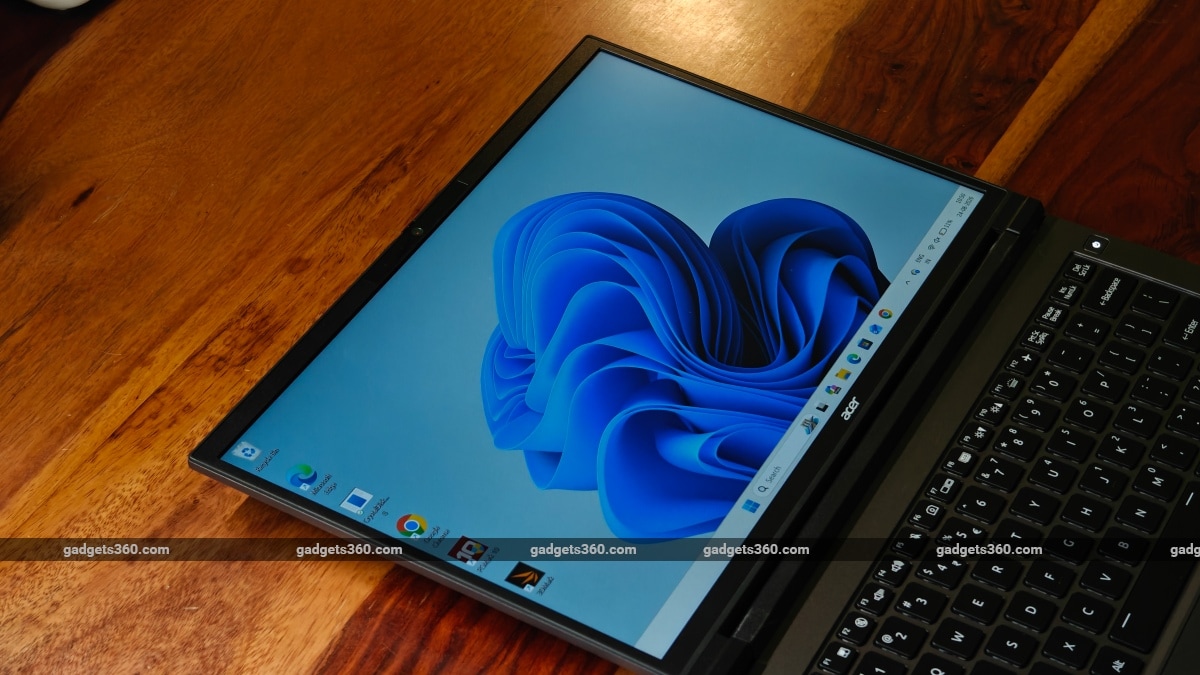
The Acer TravelLite T24-54M’s display needs to be a lot brighter to be visible outdoors
The display’s brightness is a genuine problem. It works fine indoors but not so great if you happen to sit near a window (with bright sunlight getting in). At times, I maxed out the brightness indoors while testing the unit. Outdoors, things only get worse. You can get work done, but you will get a headache after a while because the brightness and contrast just aren’t sufficient.
Acer TravelLite T24-54M Keyboard, Trackpad, Cameras and Speakers
- Keyboard type – A4 size, spill-resistant, backlit, illuminated
- Touchpad – Click pad (Microsoft Precision) + fingerprint reader
- Webcam – 2-megapixel, FHD, 1080p video recording (with privacy shutter)
- No of Speakers – 2 (HD audio support)
The speakers are loud but sound a bit flat and don’t offer rich audio quality. This is sufficient for office work, but you will need to plug in a pair of speakers if you want clearer sound.
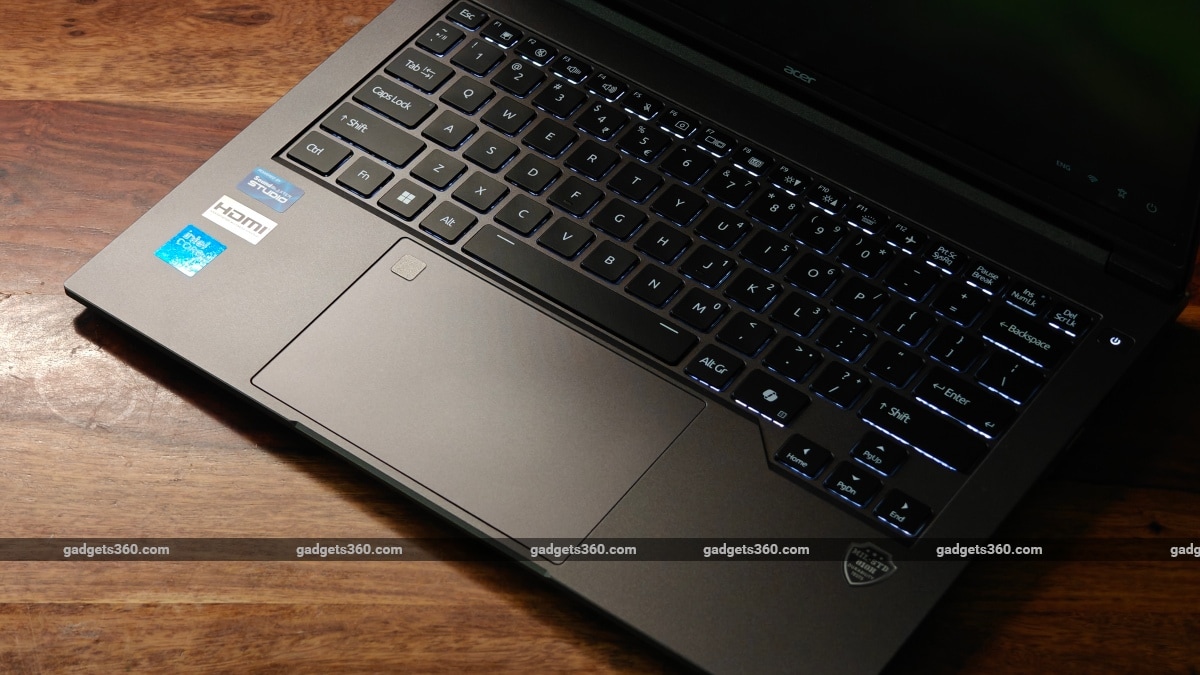
The trackpad is spacious, and the A4-sized keyboard has backlighting
The TravelLite’s keyboard is a typical membrane keyboard, but it’s geared more toward durability (spills) than comfort. Given the A4-sized layout, it was very comfortable to type on, but the keys do feel a bit stiff after a few hours of typing. The keys have decent travel, and so an experienced typist would not bottom out these keys, but then again the feedback is quite mushy, so you will not even realise it when they do.
As for the touchpad, it supports the usual Windows gestures, but is a regular click pad with pressable buttons at the bottom corners. The default sensitivity (Medium) does feel a bit slow to respond. But changing it to ‘High’ makes it responsive enough for regular tasks.
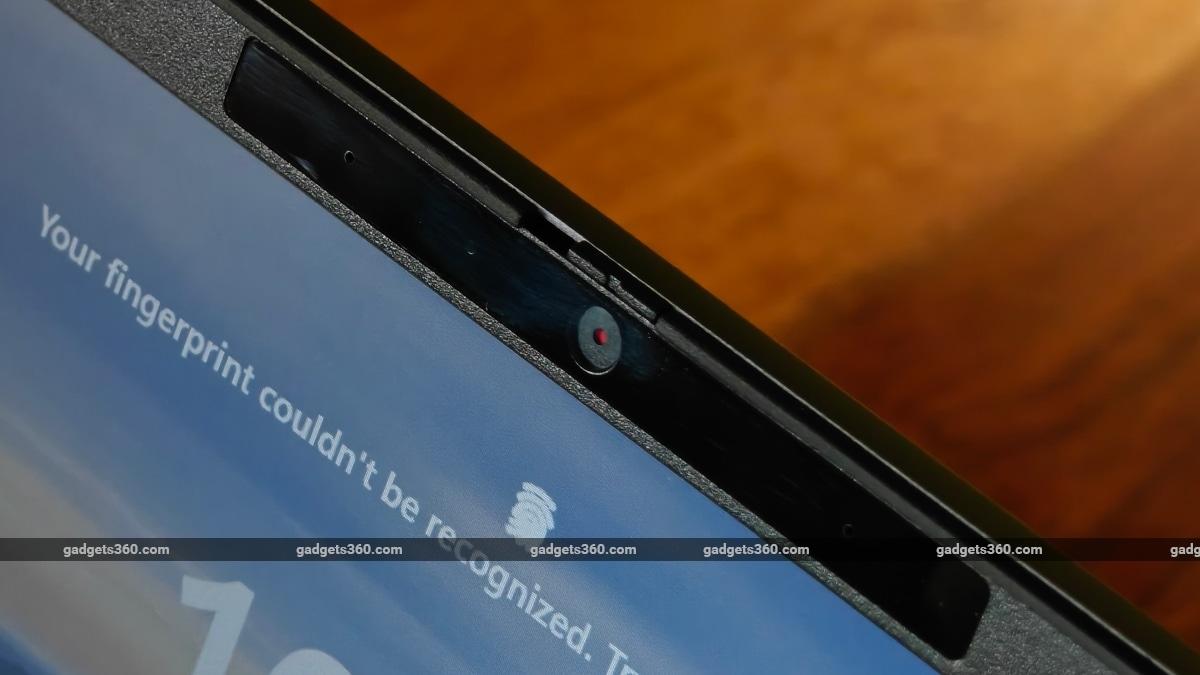
The webcam has a built-in privacy shutter
My unit has a built-in fingerprint reader which makes locking and unlocking the machine a quick and hassle-free experience. The webcam does a fine job with conference calls provided there’s enough light. Under dim lighting the image quality can get quite noisy.
Acer TravelLite T24-54M Software and Performance: Not Bad at All!
- Operating system – Windows 11 Professional (64-bit)
- Chipset – Intel Core 5 processor 320, 6M Cache, 4.60 GHz
- RAM – 16GB, DDR5
- Storage – 512GB SSD (PCIe NVMe Gen3 / Gen 4)
- GPU – Intel Graphics
- Wireless / Networking – TX Ethernet RJ45 LAN + Wi-Fi 6E + BT
With 16GB of RAM, the TravelLite blazes through usual work tasks and is more than capable of handling up to 20 Chrome tabs as well. There are no hiccups on Zoom calls, when handling heavy PDFs and spreadsheets, and even when fiddling with presentations. Overall performance isn’t an issue, since this machine is meant for office workloads.
| Benchmarks | Acer TravelLite T24-54M |
|---|---|
| Display resolution | FHD+ |
| Chipset | Intel Core 5 320 |
| Cinebench R23 | |
| Single | 1,375 |
| Multi | 464 |
| Geekbench 6 | |
| Single | 2,552 |
| Multi | 7,083 |
| Geekbench 7 | |
| Single | 2,155 |
| Multi | 6,633 |
| CrystalDiskMark SEQ1M | |
| Read | 7,054.74 |
| Write | 5,269.53 |
| PC Mark 10 | 6,404 |
| 3D Mark | |
| 3D Mark CPU Profile (Max Threads) | 4,003 |
| 3D Mark Night Raid | 16,266 |
| 3D Mark Steel Nomad Lite | 1,048 |
The new TravelLite is one of the few machines to be launched in India with the Intel Core Series 3 processors, and the Core 5 isn’t a slouch by any means. The Core Series 3 chips are meant to deliver performance for entry-level machines, while Panther Lake processors do the heavy lifting on more premium models. These processors are built on Intel’s 18A process node, which is also used for Intel’s Core Ultra Series 3 platform. If you get the Core 5 330 processor, it will also qualify for Intel’s Stable IT Platform Program (SIPP), which reduces the need to build software images and retest drivers time and again.
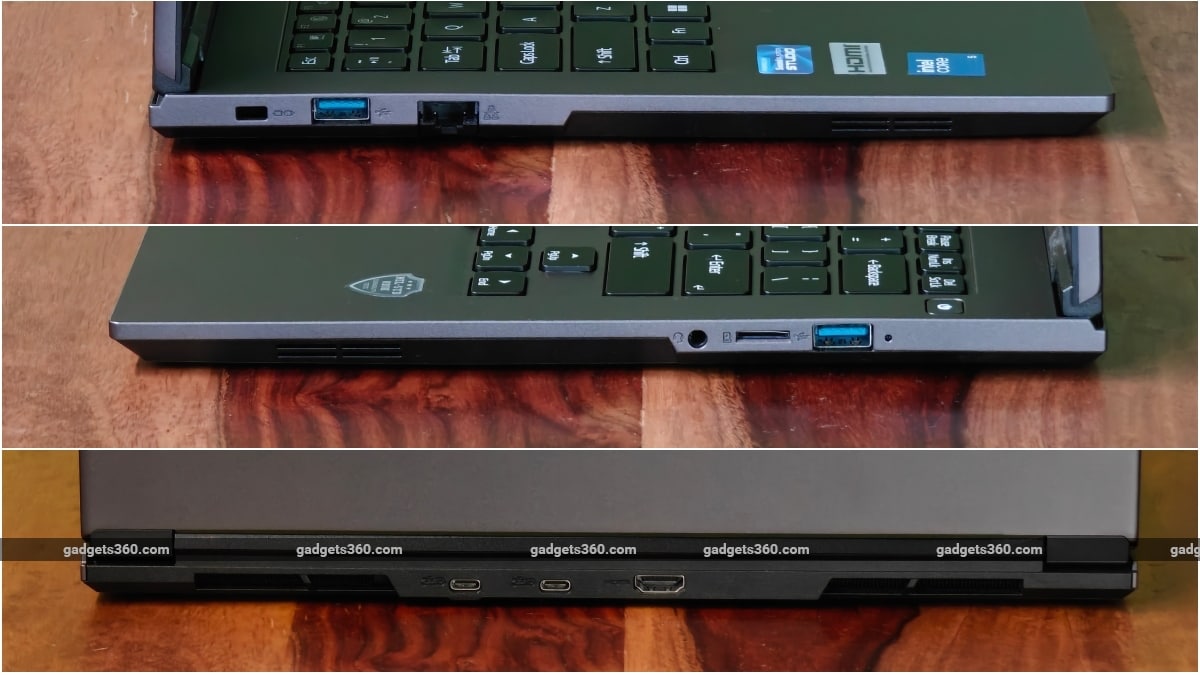
The selection and placement of I/O ports is pretty impressive
The TravelLite isn’t CoPilot-capable, though, as its NPU performance maxes out at 17 TOPS (16 TOPS in the case of the Core 5 320). But when combined, the CPU and GPU can manage up to 40 TOPS. Basically, it’s good for office AI workloads and gets things done on a budget even though it may struggle a bit.
As for struggles, the fans only turn on when running benchmark tests. There are two of them, and they aren’t noisy even on full blast. When used for work, the fans remained off most of the time, even when streaming 4K videos.
The port selection is quite generous for a work laptop:
- 2 x USB 3.2 Gen 2 ports with DisplayPort 1.4 and PD DC in (Type C)
- 1 x USB 3.2 Gen 1 port with Powered USB, AC/DC (Type A)
- 1 x USB 3.2 Gen 1 port (Type A)
- 1 x HDMI 2.1 port (with HDCP)
- 1 x headphone jack (headphone + microphone)
- 1 x RJ-45 LAN port
Acer TravelLite T24-54M Battery Life:
- Battery capacity – 40WH / 60WH (Polymer Smart Lithium-Ion)
- Wired charging – Bundled power adapter (65W DC output) + 65W USB PD
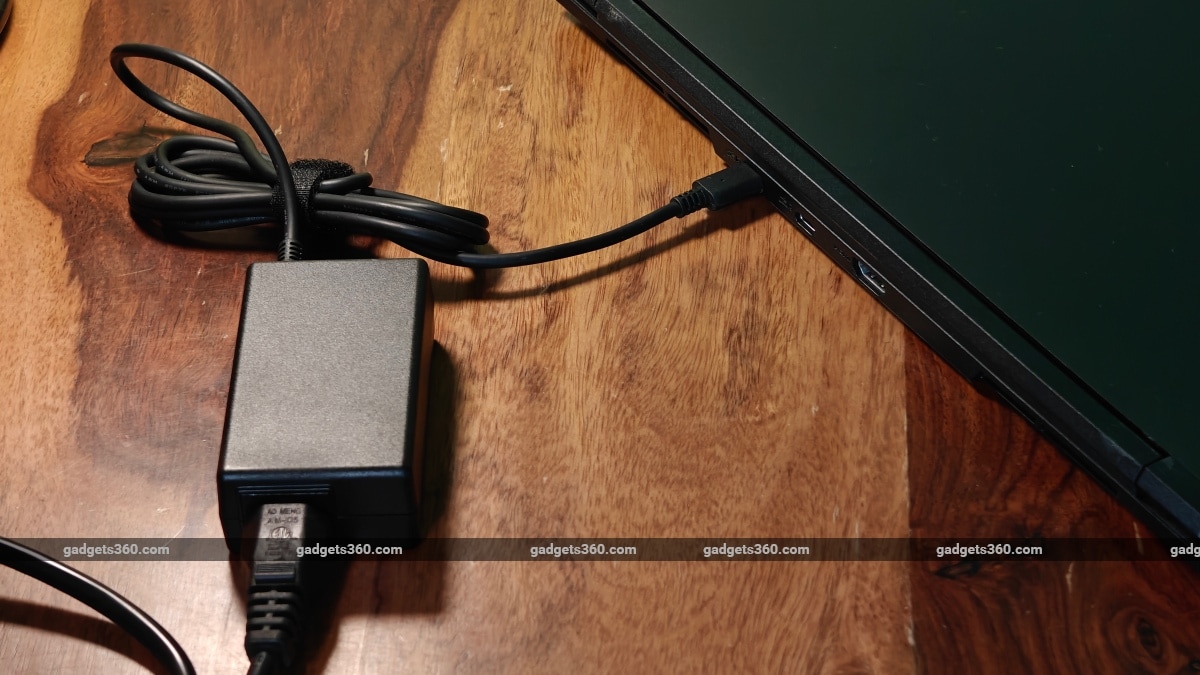
The laptop can charge using a standard PD charger as well
Our review unit of the Acer TravelLite T24-54M is equipped with a 60WH battery pack, which easily lasted a whole workday and some more on a full battery. Starting off my day at 9:00 AM, I used the laptop mainly for browsing and research using Google Chrome (with around 20 tabs), some image editing and an hour of YouTube at a fixed 50 percent brightness. At around 7:00 PM, the laptop still had 20 percent battery life left. Charging the machine takes a while (which is normal for a laptop). Using the bundled Type-C adapter, the machine charged to 40 percent in 30 minutes and 76 percent in an hour, reaching a fully charged state in 1.5 hours.
Acer TravelLite T24-54M Verdict
In a sea of business-grade laptops, Acer’s new TravelLite T24-54M stands out a bit mainly because it’s one of the few brands to offer Intel Core Series 3 on their machines in India. Businesses (big and small) will appreciate its durability, keyboard and display. But we really wished it had a brighter display. That said, battery life is pretty good, and as a package meant for the office crowd, there is little else to complain about. Our review unit with the aforementioned configuration and options is priced at Rs. 89,999 in India. Acer will only be selling its T24-54M via its corporate sales network, and prices vary depending on the chosen configuration. Consumers will not be able to purchase the TravelLite from retailers or even big-brand stores.