


Cloud gaming services have been available in major markets like the US and Europe for a while now, but they’ve only become a practical reality in India in recent times. With growing access to high-speed broadband internet and rising cost of hardware, streaming your games on a PC, TV, tablet, or phone has become a viable alternative to consoles and gaming PCs. As long as you have a stable, high-speed internet connection, a cloud gaming subscription lets you hop into a game and start playing, eliminating the need for a console or high-end PC and the hassle of downloads and storage management.
Heavyweights like Xbox Cloud Gaming and Nvidia GeForce Now are now up and running in India, along with indigenous services like JioGames Cloud and OnePlay. Each service has its own flavour, offering subscription plans across tiers for different kinds of gamers. Xbox Cloud, for instance, comes bundled with a Game Pass membership that also brings access to a library of free titles. GeForce Now, meanwhile, brings top-end PC hardware performance, but only lets you play games you own on storefronts like Steam and Epic Games Store.
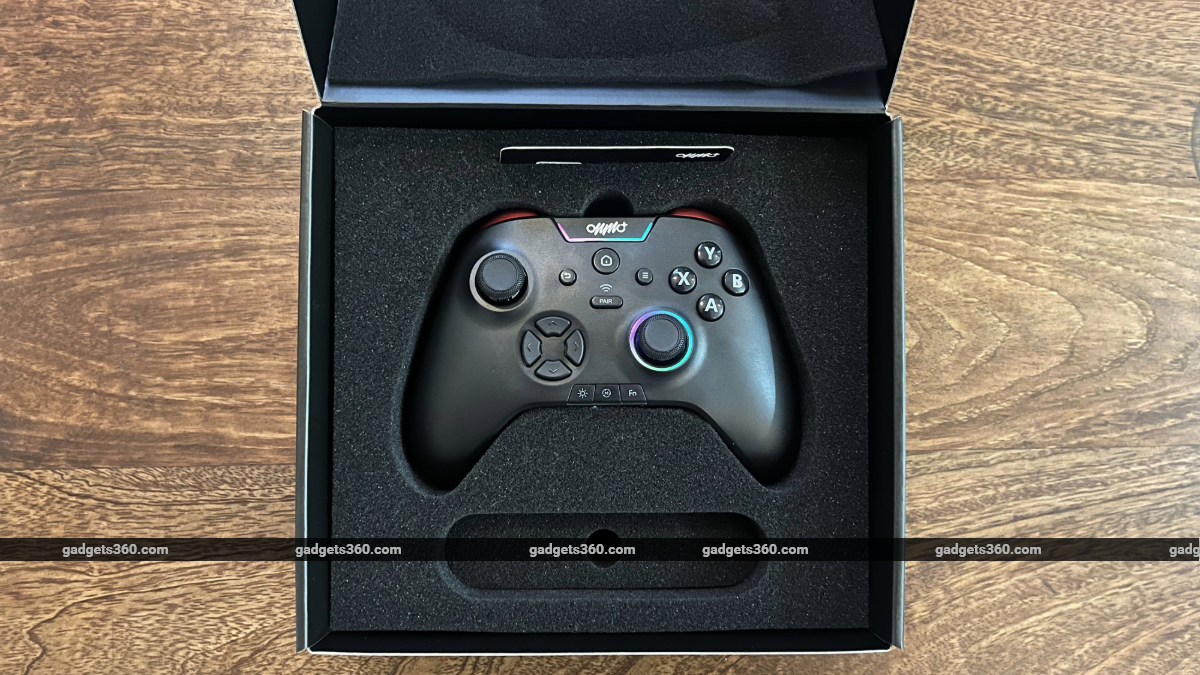
But none of these is quite like ONMO+, the new cloud gaming service from OnMobile Global that launched in India in late June. This cloud gaming platform comes with its own controller, much like the now-defunct Google Stadia, that can be paired with Android and iOS devices, PC, Mac, and TVs The idea is the same as other cloud gaming services: ONMO+ lets you play games directly via cloud PC servers powered by AMD Radeon GPUs on a variety of devices without requiring high-end gaming hardware. But the company also intends to provide a console-like unboxing experience with its controller that acts as a door to its cloud gaming offering.
OnMobile calls the ONMO+ package a ‘smart console’, but the box essentially includes a pro controller, an access key that activates your account, and a USB Type-C cable to charge the controller. There’s a simple setup process: you scan the barcode on the access card, set up your ONMO+ account, pair the controller to your phone, PC, tablet, or smart TV, and start playing. The ONMO+ ‘smart console’ comes with a three-month ONMO+ Essential Pass subscription that grants access to over 100 ready-to-play games. Like the Xbox Game Pass library, you don’t need to buy these titles; you can start playing in the cloud with a subscription.
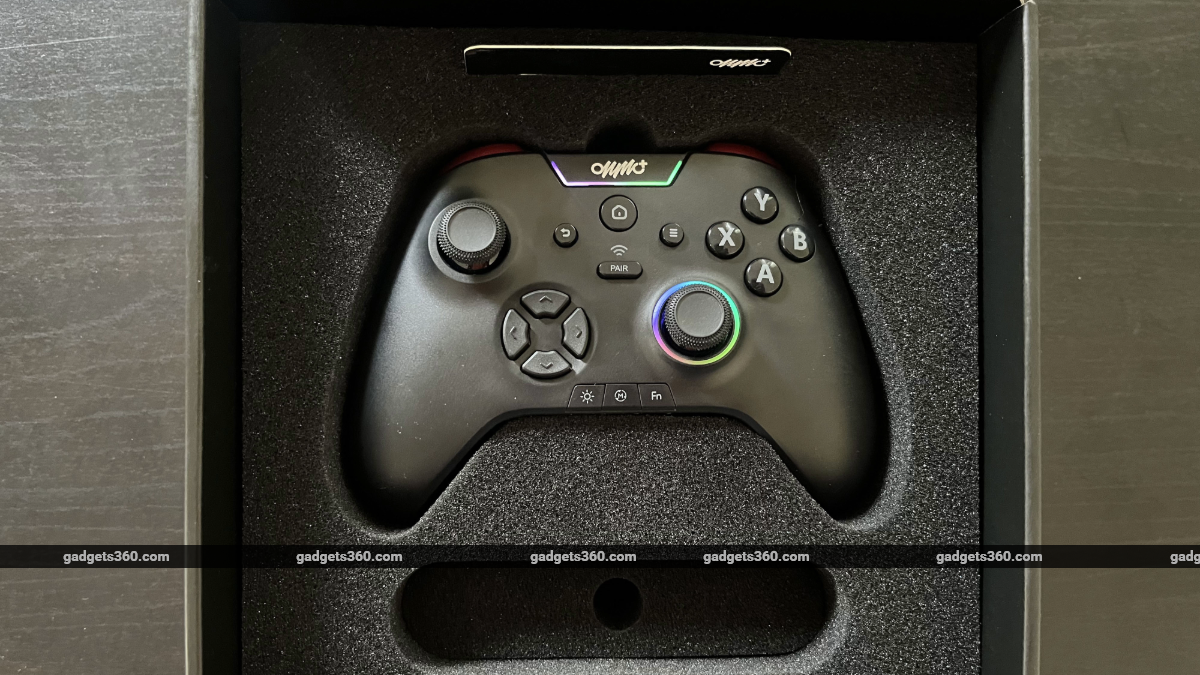
The ONMO+ ‘smart console’ box includes a pro controller and an access key
ONMO+ Pro Controller Features
Before we talk about the games, let’s talk about the ONMO+ Pro Controller. At first glance, the gamepad resembles an Xbox controller, but it has a few more buttons than standard controllers. Beyond the standard input buttons you’ll find on most gamepads, the ONMO+ Pro Controller has a Pair button on the front that lets you connect it to four different devices. At the bottom edge of the controller, you also get a button to toggle and customise RGB lighting, a Mode button to switch wireless modes across four paired devices, and a Function button to set joystick dead zones and custom bindings for the M1 and M2 buttons on the rear of the controller.
The Pro Controller also has a handy vibration toggle switch on its top edge, next to the USB Type-C port, and an LED indicator for both charging and wireless modes on the bottom edge. On the back, aside from the M1 and M2 custom buttons, the controller houses a 2.4GHz USB 3 receiver, which pairs it to PCs and TVs The pairing process is quick and easy. For Bluetooth connections, you select the desired wireless mode by pressing the Mode button, hold the Pair button for three seconds, and select the gamepad from your device’s Bluetooth settings. For PC or TV, plug in the USB receiver to start using the controller.
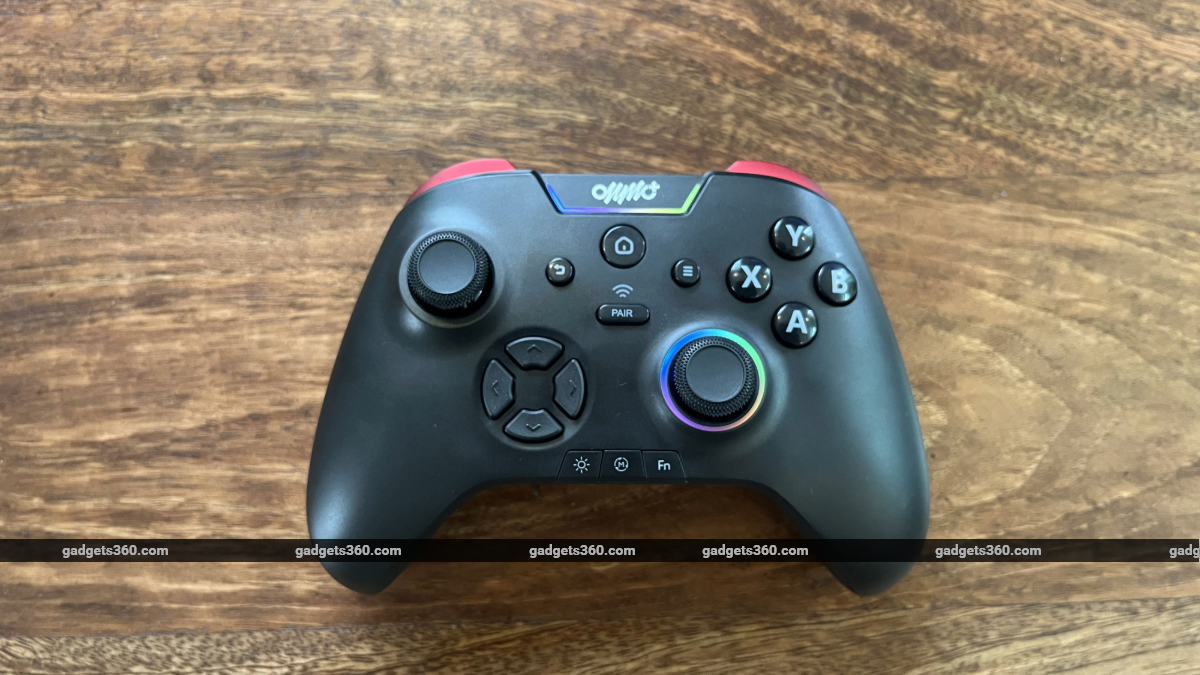
The ONMO+ Pro controller comes with RGB lighting
The ONMO+ Pro controller also comes with multi-device memory that can store up to four different devices, each paired with a separate wireless mode. This lets you seamlessly switch between devices by pressing the Mode button. These features make the controller feel more versatile than standard gamepads.
The pro controller comes in a black finish with velvety red bumpers that stand out. At 211g, it feels light in the hand, and at 155mm wide, it’s a little smaller than Sony’s DualSense controller. The hall-effect triggers work as expected, but the micro-switch ABXY buttons and the D-pad feel a little too clicky for my taste, even if they work just fine. The programmable Macro buttons on the back, usually found in pro controllers, are a nice touch.
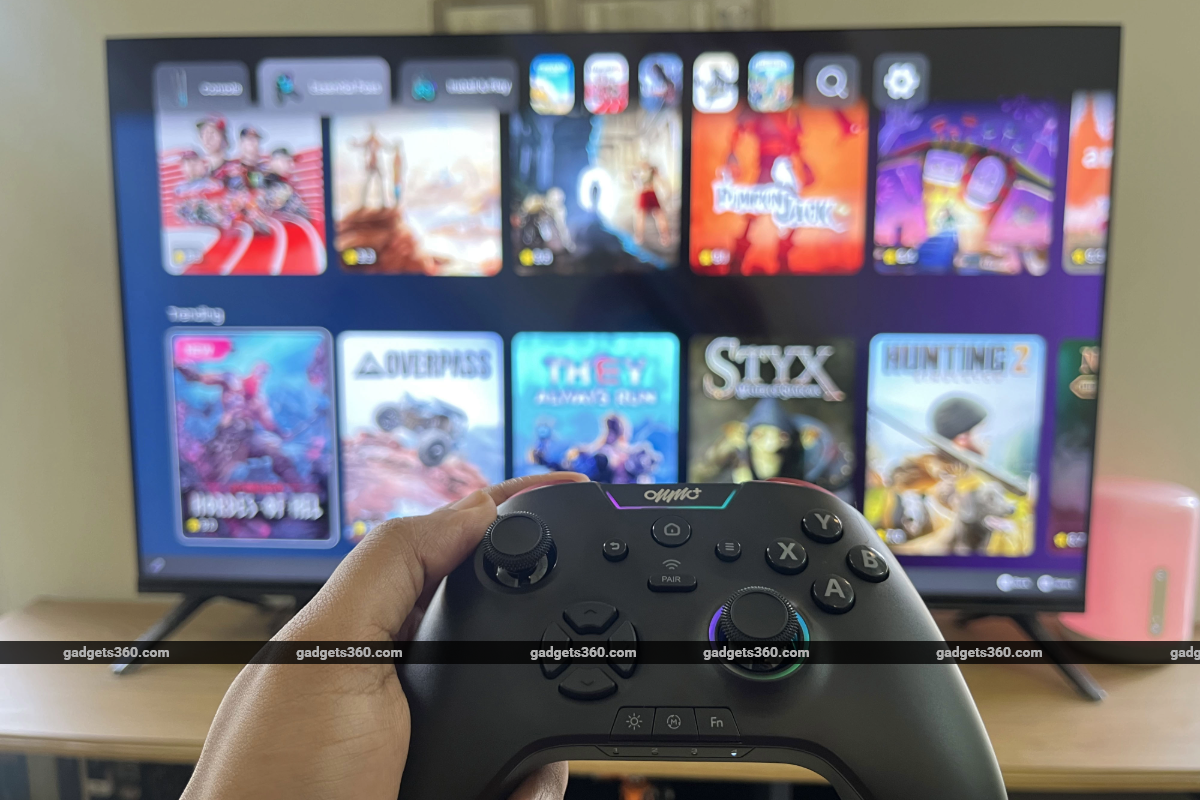
The ONMO+ pro controller can be paired with up to four devices
ONMO+ Games and Performance
When you log in to the ONMO+ cloud gaming platform, you’re presented with a home screen that shows your connected controller, your activity and playtime, new Essential Pass games, Install & Play titles, and links to the ONMO+ app on all supported platforms. Navigating the interface with the controller feels sluggish, with noticeable input delay. Switching between tabs to explore Essential Pass and Install & Play games isn’t smooth. The console-like interface is standard and intuitive, but it doesn’t feel responsive.
The Essential Pass, which includes over 100 games, offers a wide selection of titles largely outside the triple-A and mainstream gaming space. But there are some gems here, as well, like The Forgotten City and Art of Rally. OnMobile has also kept adding new titles to the ready-to-play cloud library. The Essential Pass selection is wide enough to please most casual gamers, but users looking for triple-A titles will be more interested in the Install & Play section, which includes a selection of cloud-compatible games from Steam. Here, you can link your Steam account and start playing select games you own directly via cloud servers.
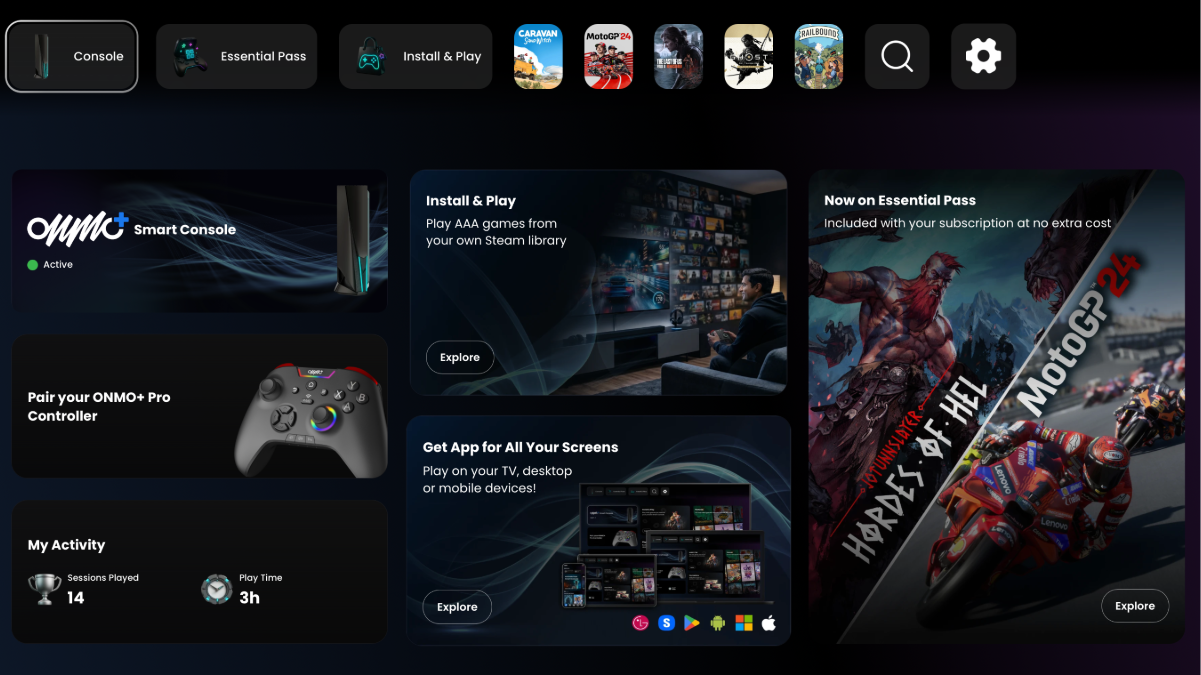
The ONMO+ ‘smart console’ home screen
Installing a game from Steam takes seconds, and once the platform authenticates your game license, you can launch into your title with the click of a button. OnMobile says it regularly expands its library of compatible Install & Play titles from Steam. Here, you can find major triple-A titles like Crimson Desert, Ghost of Tsushima, God of War, Grand Theft Auto 5, Spider-Man 2, Red Dead Redemption 2, and many more. But you must buy these games on Steam to access them on the ONMO+ cloud platform. But how well do they run?
Smaller, less demanding Essential Pass titles run at 1080p and close to 60fps, as advertised by OnMobile. Art of Rally ran in the range of 55-60fps at full-HD with a recorded latency of under 10ms on a 100Mbps Airtel Wi-Fi connection in Bengaluru. Other more casual titles like Railbound have no issues running at 1080p and 60fps. The performance dips when you launch slightly more demanding Essential Pass titles. Action title Hordes of Hel, which features intense battles and several enemies on screen, ran at around 43fps at the ‘High’ setting with a recorded ping of 5ms. The Forgotten City, a fully 3D adventure title, ran in the range of 40-45fps with in-game graphics settings turned up to the ‘Epic’ preset. Recorded latency was under 10ms. Curiously, lowering the graphics settings and resolution did not result in higher frame rates.
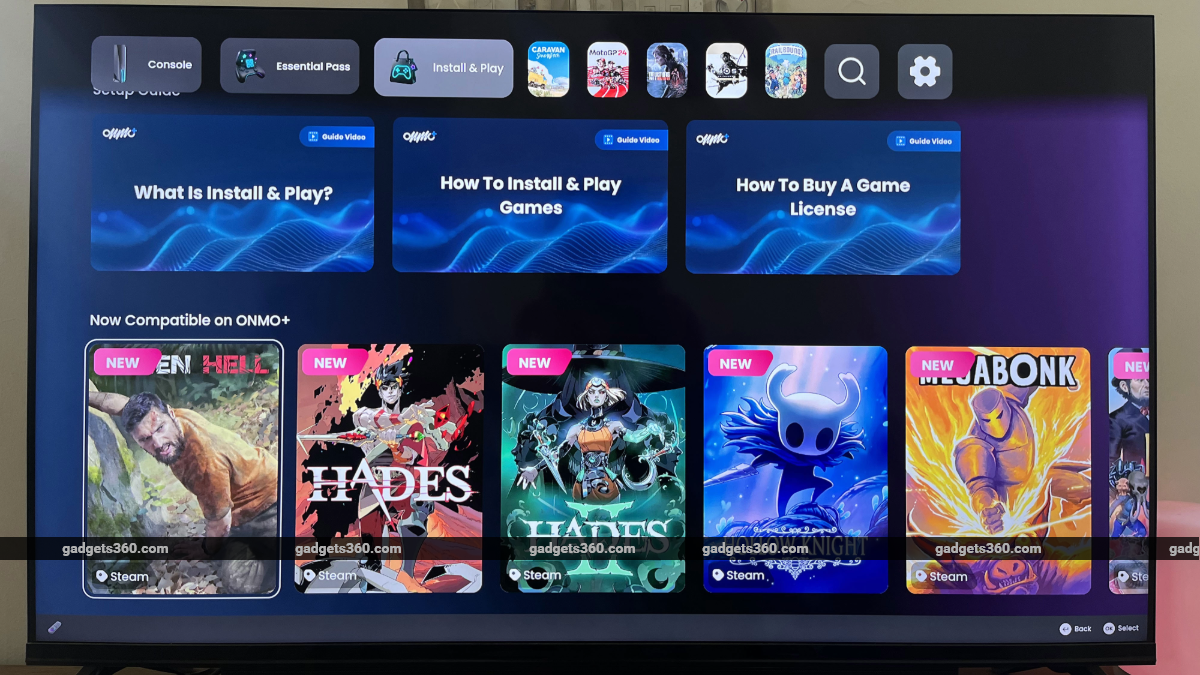
ONMO+’s Install & Play section includes games from Steam
In the case of triple-A and graphics-intensive Install & Play games from Steam, ONMO+ ‘smart console’ fared respectably well, but could not maintain the 1080p and 60fps standard. Ghost of Tsushima Director’s Cut, for instance, ran at 40-45fps at full-HD and ‘Very High’ graphics settings, with latency hovering around 5ms. The Last of Us Part 2 Remastered, a more recent and demanding title, ran at 1080p and 30fps. While the performance is fine, but it’s not comparable to current-generation consoles or high-end PCs. Nvidia’s high-end GeForce Now cloud gaming service also outperforms ONMO+ by a significant margin.
The ONMO+ ‘smart console’ is limited to 1080p resolution, but the company says 4K support is coming soon. Performance also falls short, especially in demanding games. Aside from frame rate not hitting the 60fps target, I also experienced stuttering in games often. There’s also a noticeable input lag when playing games on the cloud gaming service. The experience also had a few frustrating bugs. On one occasion, the in-game audio stopped when I brought up the ONMO+ overlay. On another, launching an Install & Play title only led me to a black screen. These issues can be resolved by reconnecting to the service, but they add friction to the overall experience.
ONMO+ cloud gaming platform also lacks a few features. The ONMO+ app has no native way to record gameplay or take screenshots. The platform also doesn’t support Epic Games Store titles in its Install & Play library. The Steam integration also leaves a lot to be desired. Despite linking my Steam account, I couldn’t see a section that listed the titles from my library. I had to browse around genre lists or use the search function to look for specific games I own on the storefront.
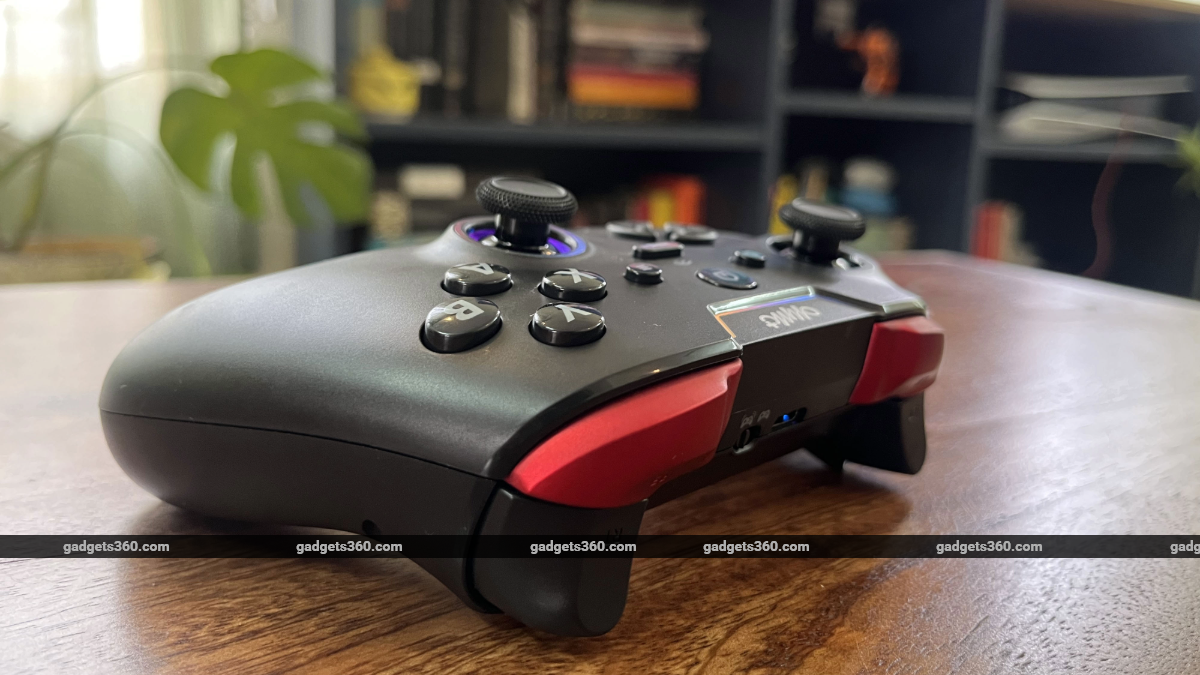
The ONMO+ pro controller is the service’s biggest selling point
Verdict
There are some positives, too. The pro controller works well and comes with a few handy additional features that you can’t find in other standard controllers. Seamless multi-device pairing and switching is an especially neat feature. The ONMO+ app comes with several embedded tutorial video guides about the platform — another helpful feature, especially for users new to cloud gaming platforms. The company has servers in both northern and southern India (in the National Capital Region and Bengaluru), which should ensure good ping for users across the country.
But at Rs. 4,999, the ONMO+ ‘smart console’ package, which comes with a three-month Essential Pass subscription and access to over 100 ready-to-play games, is difficult to recommend. Nvidia GeForce Now’s Performance plan, which supports cloud gaming at up to 1440p and 60fps, costs Rs. 999 a month and delivers top-end performance. It may not be prudent to compare ONMO+ with Nvidia. The former will appeal to casual gamers, while the latter targets enthusiasts. And ONMO+ does come with a versatile pro controller and a library of titles available at no additional cost. For some, the console-like controller experience and promise of free games may be enough.
Pros
- Pro controller features
- Support for multiple devices
- Library of free Essential Pass games
- Steam support
Cons
- Inconsistent gaming performance
- Input lag
- Sluggish ONMO+ UI
- Lack of in-app features