


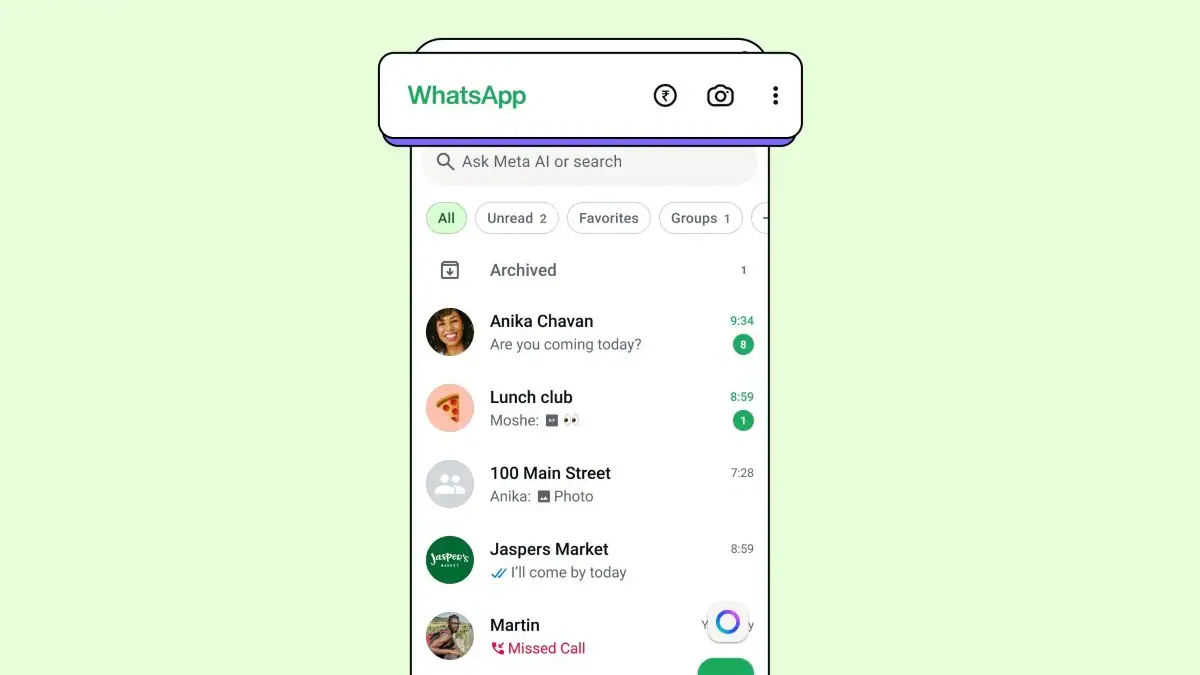
WhatsApp has launched a new feature in India that lets users carry out mobile recharges directly within the app. The meta-owned instant messaging app has joined hands with a Netherlands-based payments firm to roll out this functionality for users in India. It will be available to both Android and iOS users over the coming weeks. With the latest update, users with prepaid connections can browse available plans and complete their mobile recharges directly within WhatsApp. The platform already allows users to make bill payments and metro ticket bookings in select Indian cities.
WhatsApp’s New Mobile Recharge Feature
The platform announced the integration of its new mobile recharge feature on Thursday. WhatsApp said it collaborated with PayU to enable the service in the country. The mobile recharge feature will be supported on WhatsApp for iOS and Android smartphones.
Airtel, Jio, and Vodafone Idea (Vi) prepaid subscribers can choose from a range of recharge plans and complete recharges within a few taps without leaving WhatsApp. This facility is rolling out in phases and is confirmed to be available to all users over the coming weeks
To make the payments accessible, WhatsApp has added a rupee (₹) icon to the home screen. This icon, which sits alongside the camera icon, allows users to access the payments section to carry out mobile recharges and access UPI for transferring money. It also serves as an entry point for metro ticketing services supported within WhatsApp. The rupee icon is also available within individual chats, allowing users to send payments directly while messaging.
Know How to Use the Recharge Feature on WhatsApp
- Tap on the ₹ icon
- Select Mobile Prepaid Recharge.
- Tap your number, or enter someone else’s.
- Confirm the service provider.
- Select a suitable plan from your mobile operator.
- Select your payment mode (UPI, Debit Card, Credit Card).
- Complete the payment process.
UPI users can authenticate the transaction by entering their UPI PIN. After the recharge, WhatsApp will display a confirmation screen with the plan details. WhatsApp says that the transaction can be viewed from the history at the bottom of the payments homepage.
Get your daily dose of tech news, reviews, and insights, in under 80 characters on Gadgets 360 Turbo. Connect with fellow tech lovers on our Forum. Follow us on X, Facebook, WhatsApp, Threads and Google News for instant updates. Catch all the action on our YouTube channel.