


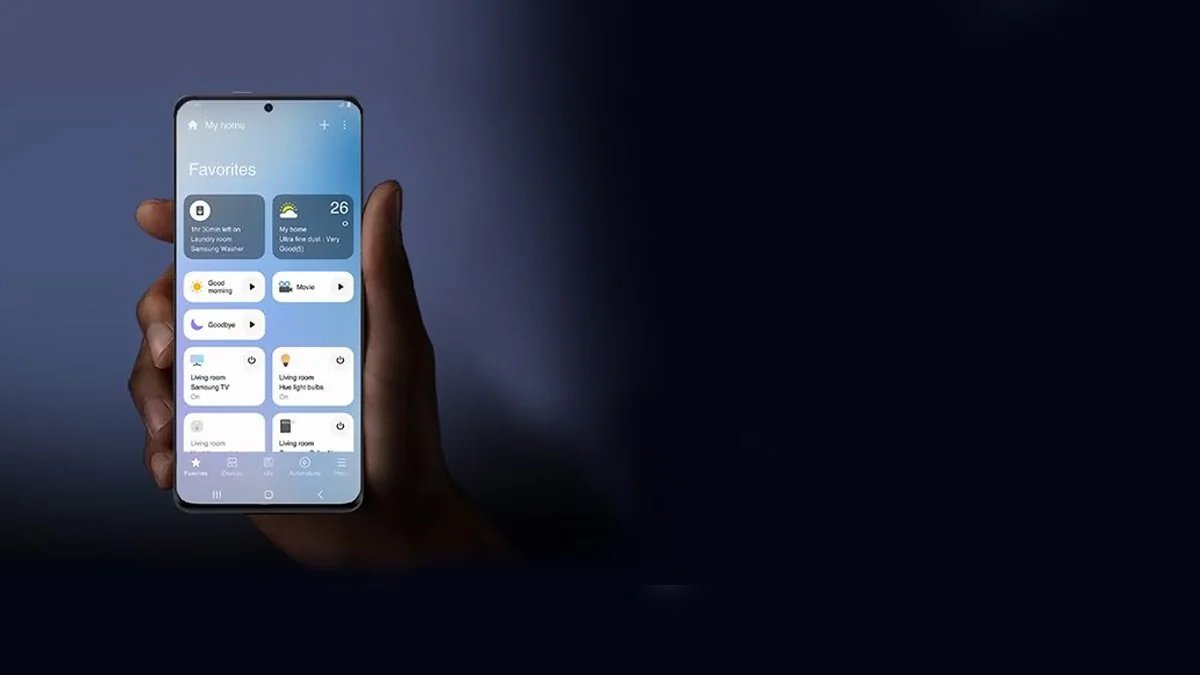
Samsung’s SmartThings app is designed to control, monitor and automate all smart home devices with a few taps. The South Korean tech brand has now started rolling out a significant redesign for the SmartThings app, introducing a refreshed interface, smaller device cards, and new controls for connected devices. The latest update also includes a Routine Insights feature. The redesigned SmartThings app is rolling out to iPhone users. The company could bring it to Android users through a future update.
Samsung Rolling Out SmartThings Redesign
SmartThings app version 1.7.51 available through the App Store includes a refreshed design matching Apple’s Liquid Glass design language. The release notes say it includes a redesigned Home tab and adds a new Routine Insights feature that offers fast control of devices connected to a hub.
As spotted by SamMobile, the interface features a lighter colour palette. The five primary tabs in the app remain unchanged from the previous version, but Samsung seems to have redesigned the navigation with a floating bar featuring translucent elements.
Tapping the device icon will activate its primary function, while tapping elsewhere on the card opens the device’s full controls. The redesigned SmartThings app features compact device and routine cards, and users can change the size. The Home tab now shows a summary card with insights about weekly or monthly power usage, remote controls for smart TVs and other notifications. The new design also moved the Favorites section on the Home tab, allowing users to quickly access the pinned devices and routines.
Routine Insights feature identifies the three routines that users activate most frequently and displays their recent activity. The virtual remote in the new version includes a dedicated Light Mode. The TV hub gets a floating navigation design in the latest update with For You, Featured, and Settings sections. The new design also features a home QR code, location selector, and overflow menu in a separate pill-shaped layout at the top of the screen.
Samsung is likely to roll out the SmartThings redesign to Android users soon.